
Desktop app · Free for internal use and education
Build real-world tabletops for every industry
Import your emergency plan, security program and SOPs. Action Stations drafts the scenario, the MSEL, the injects players receive, the controller handbook and the player briefing, and cites the plan section behind each one. It runs on your computer, with models you choose.
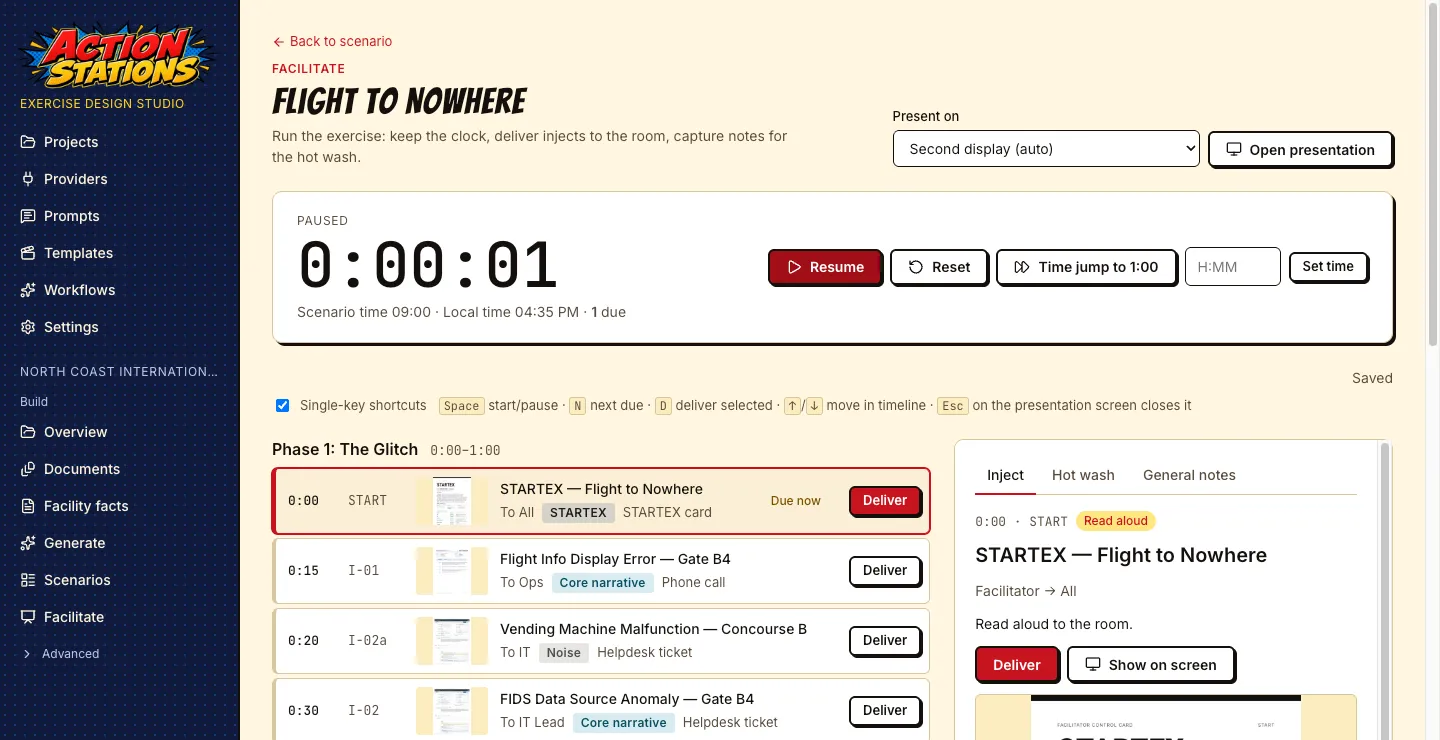
Demo video, 54 seconds, no narration, background music only, starts muted. It walks through an example project for a fictional airport: the project overview, the imported plans, a scenario, the MSEL, the rendered inject deck, an inject editor, the exercise clock in facilitate mode, the export page and the Packs screen.
How it works
From your documents to the exercise room
- 1
Import your plans
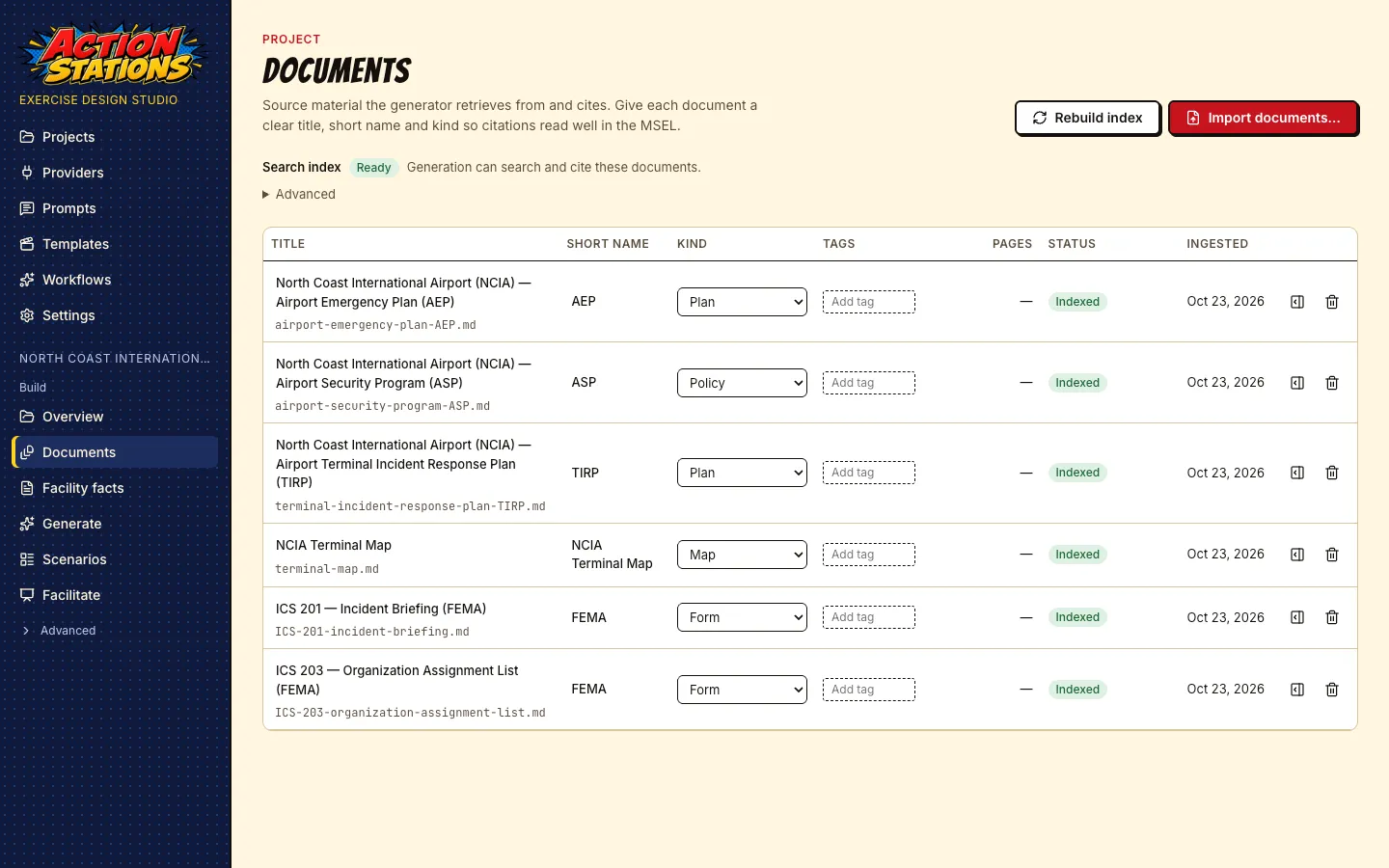
Add the emergency plan, security program, SOPs and maps you already have: PDF, Word, PowerPoint, Excel, Markdown or scanned images. The app splits them into sections by heading and indexes them on your computer.
- 2
Choose a scenario
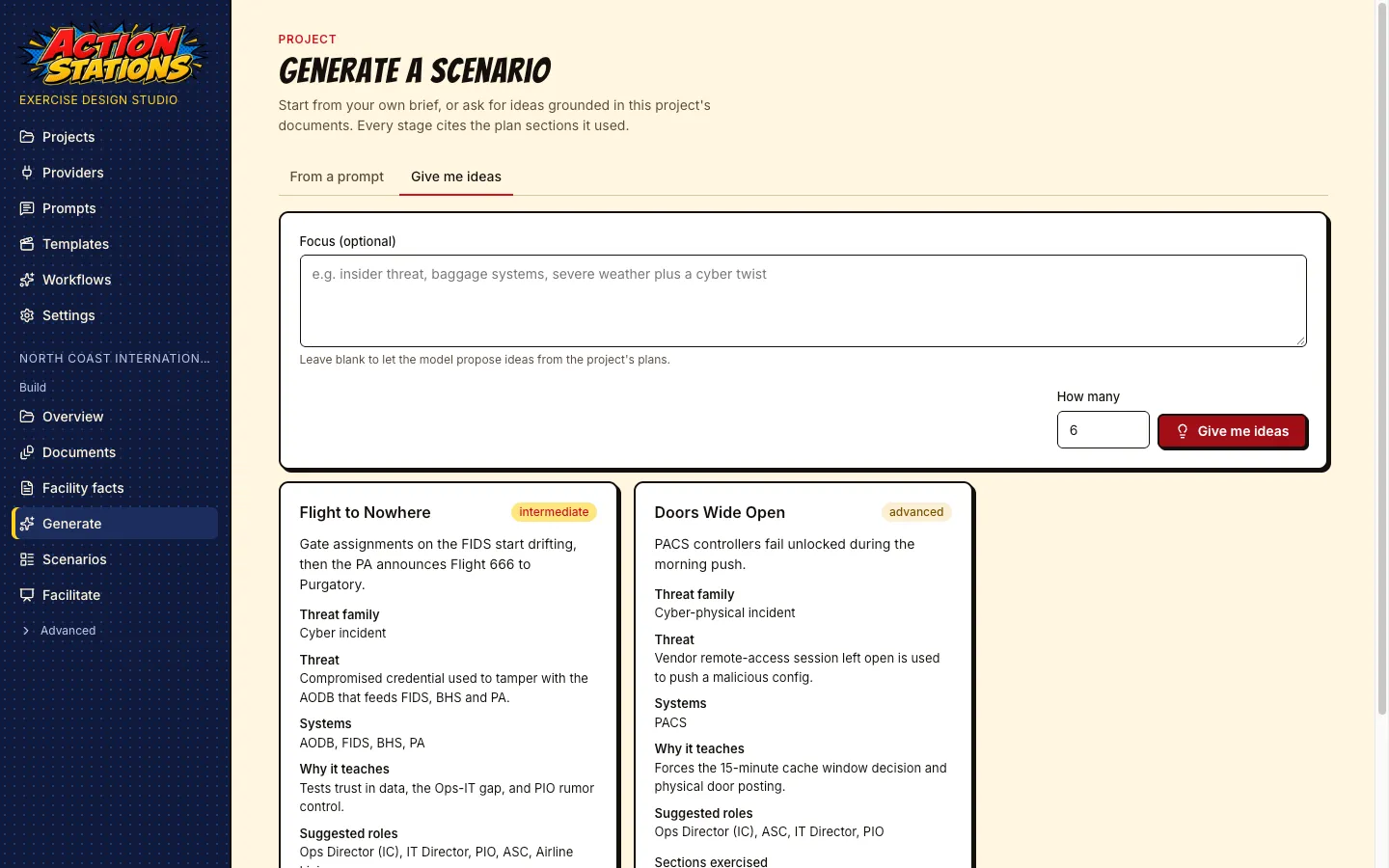
Describe the incident you want to rehearse, or ask for ideas drawn from your documents. Each idea lists the systems involved, the roles it needs and the plan sections it would test.
- 3
Review the draft
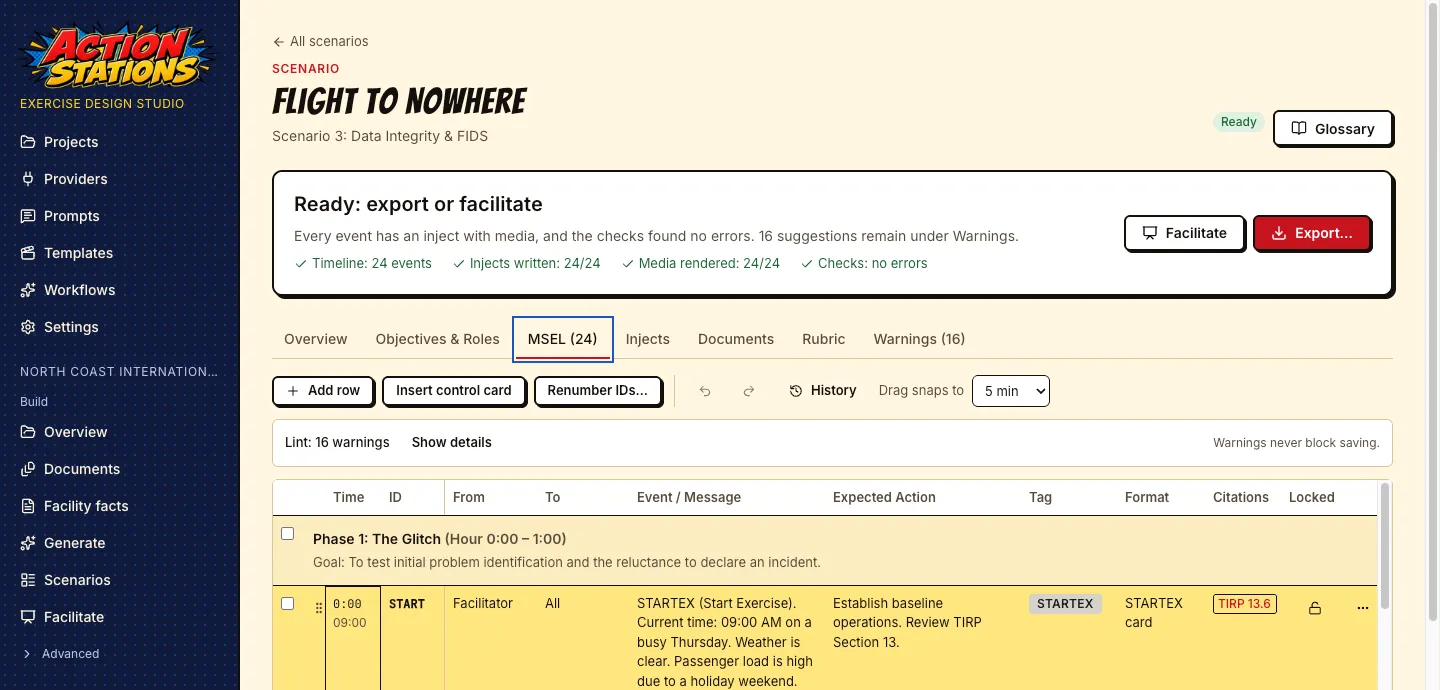
The app drafts the objectives and roles, the MSEL, the controller handbook, the rubric and the player briefing. Each row and section cites the plan section it came from, so you can check it against the source.
- 4
Write the injects
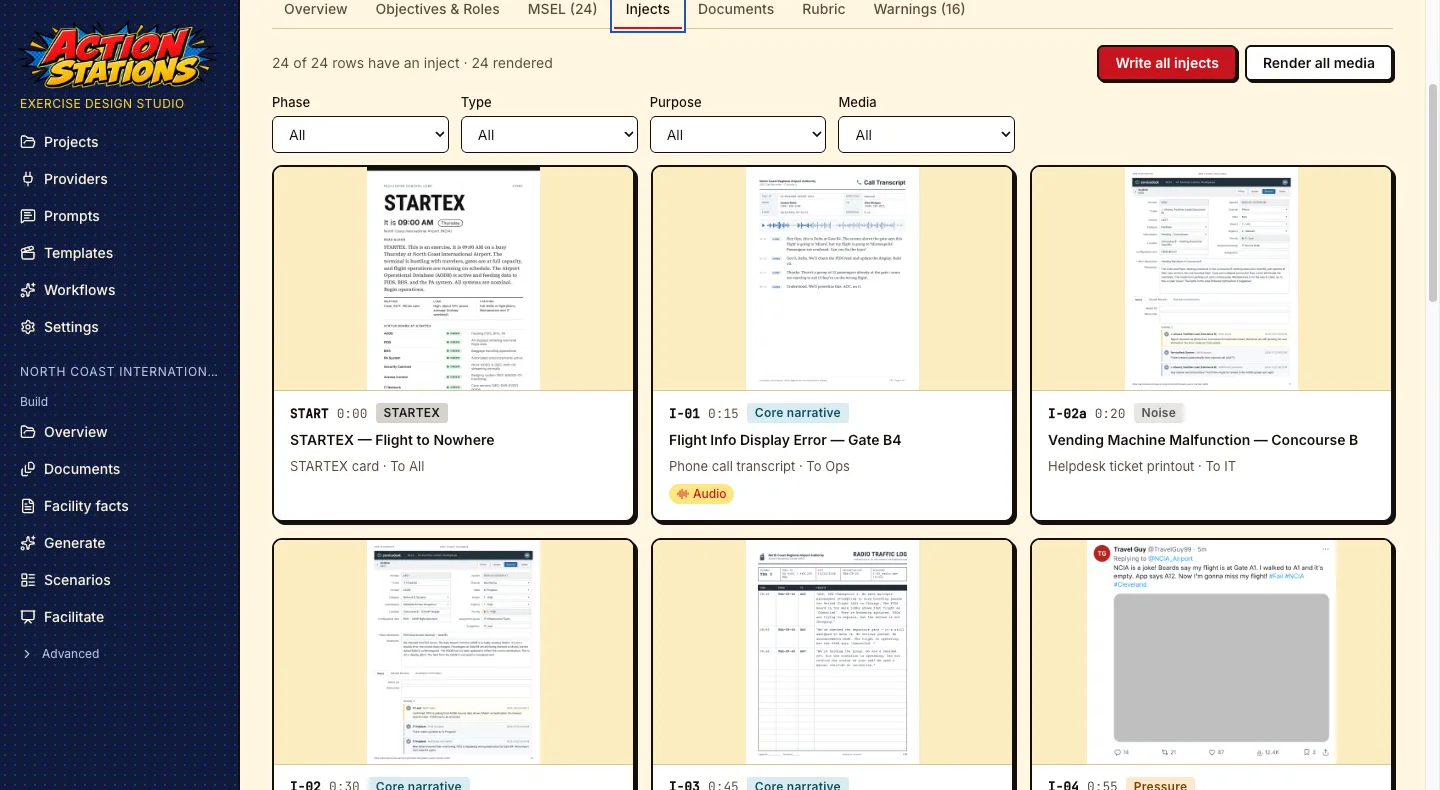
Each MSEL event becomes the thing players are handed: an email, a helpdesk ticket, a social post, a radio call, a status board. Anything with text on it is rendered from a template, so every word is legible and spelled right. Photos and voice lines are optional.
- 5
Print it or run it
Export PDFs and media files for the binder, or run the exercise from the app: an exercise clock, injects shown full screen on a second display, and a place to take hot wash notes.
What you get
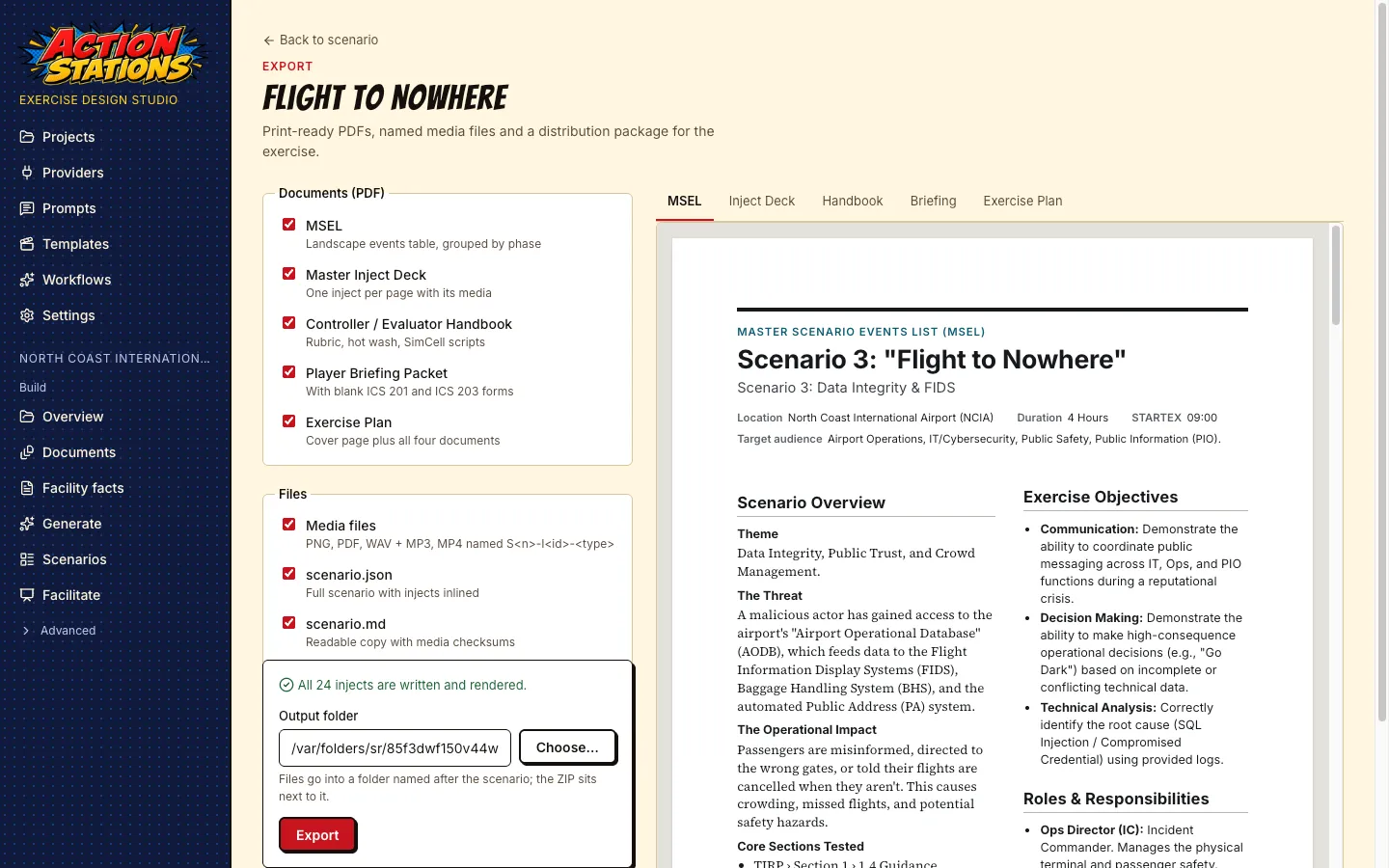
The exercise package
Scenario overview
The theme, the threat, the operational impact and which plan sections the exercise tests.
MSEL
The Master Scenario Events List: one row per timed event, with who sends it, who receives it and what players are expected to do.
Inject deck
One page per inject, with its media: posts, emails, tickets, logs, status boards, radio and phone audio.
Controller handbook
For facilitators and evaluators: the rubric, scripts for SimCell calls, and hot wash questions.
Player briefing
For the people at the table: the starting situation, their roles, and blank ICS-201 and ICS-203 forms.
Exercise plan
All of the above in one PDF, plus a ZIP with separate facilitator and player folders to hand out.
Local-first
Your plans stay on your computer
- There is no account and no cloud service. A project is a folder of JSON, Markdown and media files on your disk, so you can back it up or keep it in version control.
- There is no telemetry. The app talks only to the model and media services you add, and only when a task needs them.
- It works with no internet connection if you use local models: LM Studio or Ollama for text, ComfyUI for images and video, and your computer’s own voice for audio. If you would rather draft with a hosted model, you can add Anthropic’s Claude with your own API key.
- API keys are stored in your operating system’s keychain. They are never written to project files or logs.
- Every part of the draft cites the plan section it used, and you can edit every word before anyone sees it.
Where it came from
It started with an airport
Action Stations began as a set of tabletop exercises written by hand for CSAAP, the Cybersecurity for Airports course. The exercises were set at North Coast International, a fictional airport with its own emergency plan, security program and terminal incident response plan, so students had real-looking documents to open and cite. Each scenario took days to build, and the injects took longest: the fake social post, the FIDS board photo, the voicemail.
The app does that work from your own documents. The airport and its eight scenarios ship with it as an example project, next to a city water department and a drone operator. Domain profiles cover transit, utilities, dams, energy, healthcare, campuses, venues, ports, city government and industrial plants, and a generic profile handles the rest.
Try it on your own plans
Action Stations is source-available and free for your organization’s internal use and for education. If you run exercises for other organizations, you need a commercial license.